How Can We Help?
Account Settings
If you need to change your account profile with Red Octave, you can do so under the account settings.
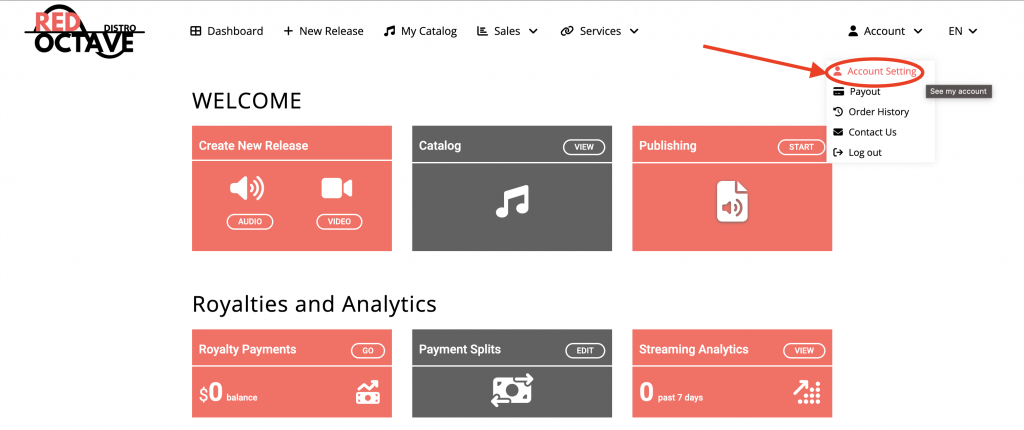
On the top right corner of your dashboard, click the menu that says ‘Account’, then click ‘Account Setting’.

On this page, you can update the following:
Profile Photo
Email Address
Password
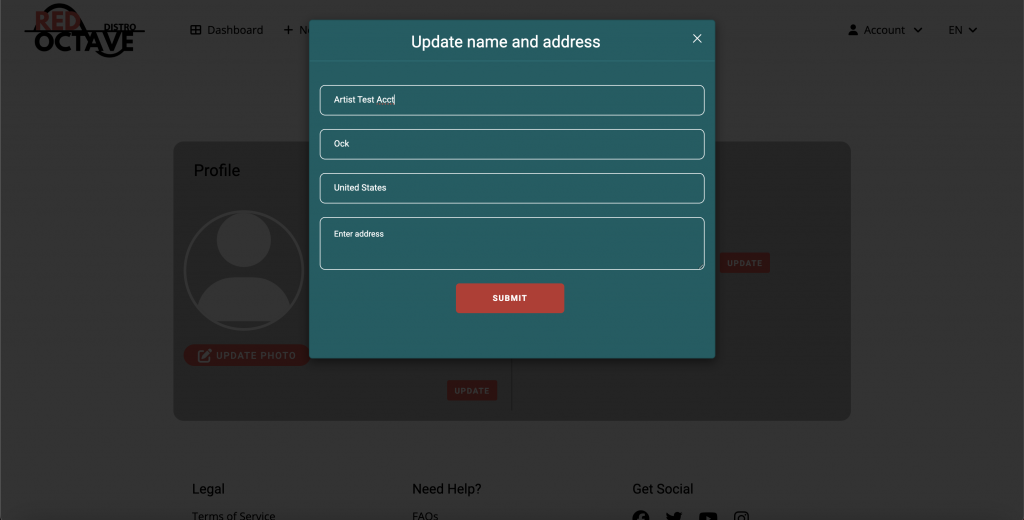
After you have completed your changes, please click ‘submit’ and your update will process.
Have more questions? Submit a request